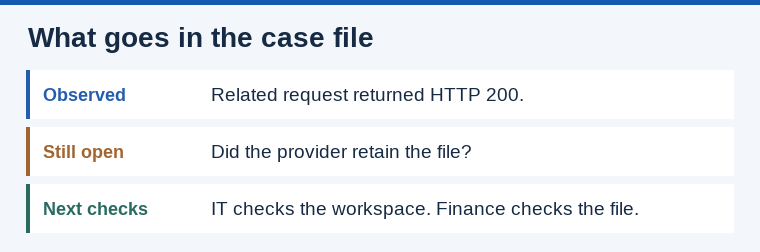
A client asks whether their quarterly spreadsheet was uploaded to ChatGPT. Someone recalls opening the attachment picker. A dashboard shows a high-severity event. Neither detail answers the client’s question on its own. Before replying, work out which file was involved, what the browser recorded and whether anyone can verify what happened on the provider’s side.
Here is a worked example from the public AI Tool Tracking demo. Northstar, its employees and the document are fictional. The investigation follows one event, EVT-1048, so that the file, time and inspection findings all refer to the same record.
Start with the filename and a narrow time window
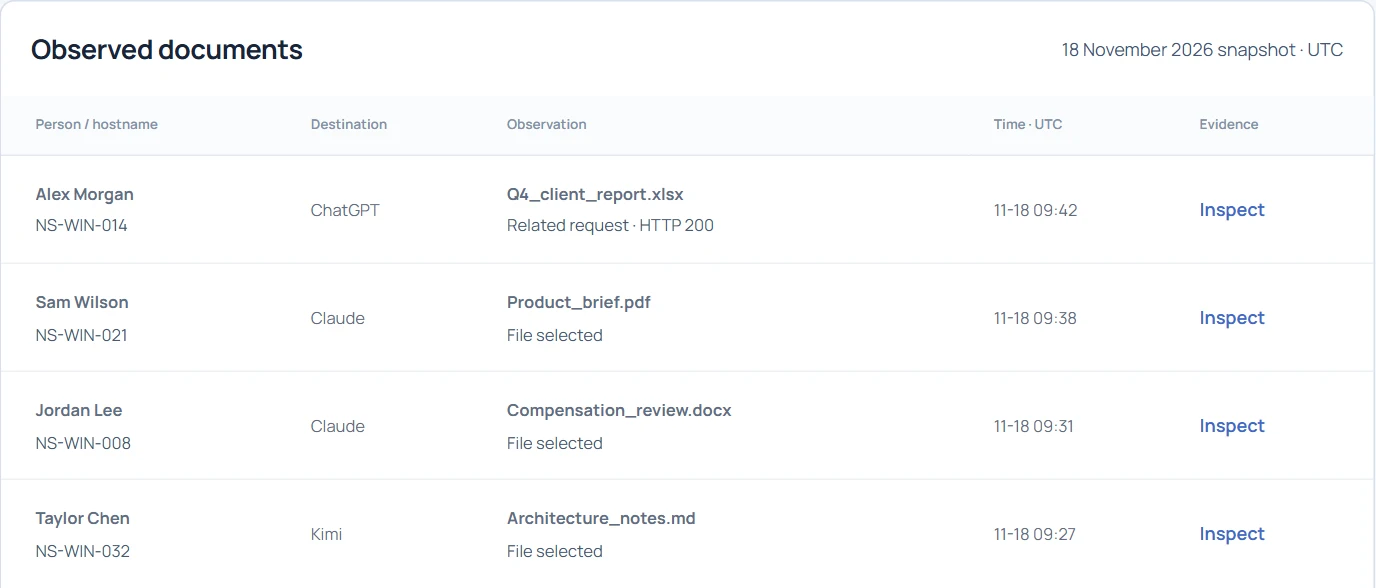
Ask the person who raised the concern for the filename, approximate time, time zone and AI service. A filename such as Q4_client_report.xlsx can appear in email, a synced folder and a browser on the same morning. Search the document events first. Narrow the results by destination and device. Keep the original event identifier and timestamp so another reviewer can find it.
In the demo, the row for the spreadsheet records a related request. The next row records a PDF selected in Claude. Seeing the two files in the same list does not give you the same evidence for both. Open the row that matches your question.
Check the account, device and file details
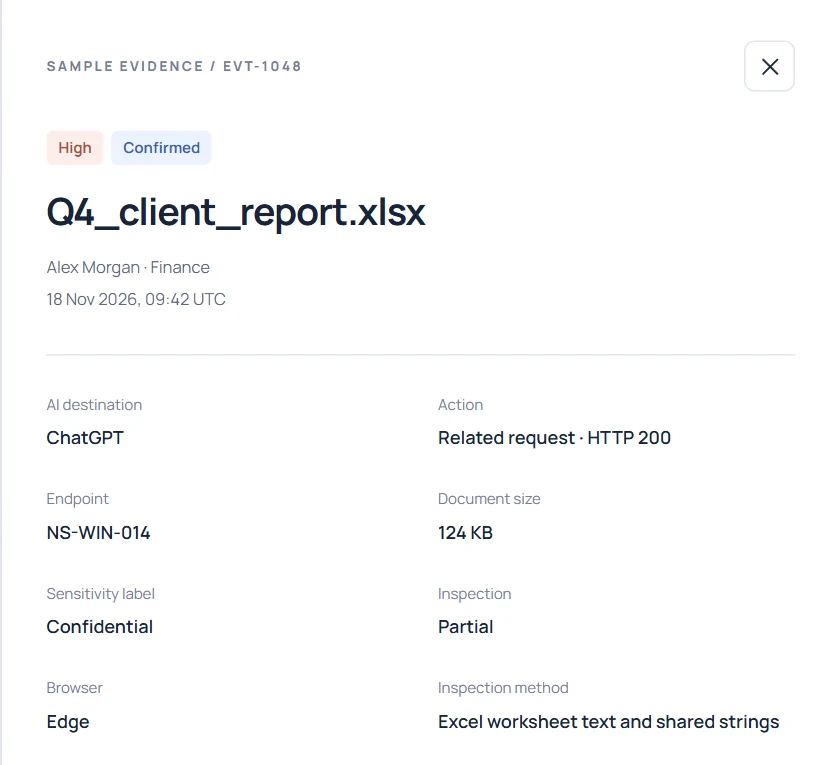
The spreadsheet record identifies Alex Morgan in Finance, device NS-WIN-014, Microsoft Edge, a file size of 124 KB and an event time of 09:42 UTC on 18 November 2026. Compare these with the device assignment, active Windows session and the client’s description. Ask which version of the spreadsheet they mean. Files with the same name can contain different worksheets.
Keep a short list of what corroborates the match. If the laptop is shared or two exports have the same filename and size, say so. You can still investigate the browser event while the file owner checks the original version.
Read the inspection result before describing exposure
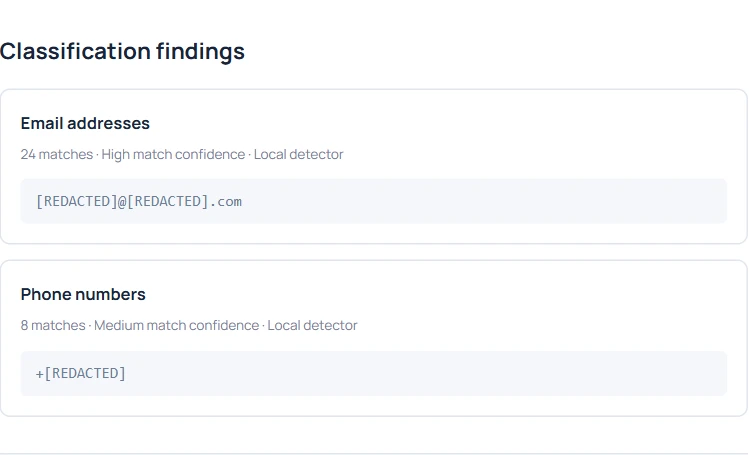
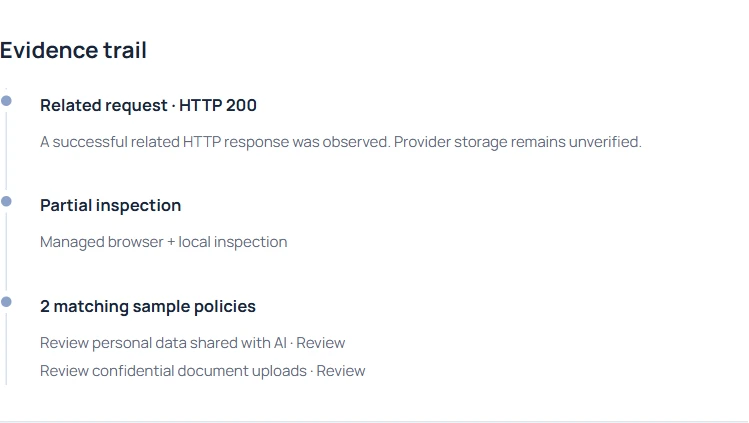
This file carries a Confidential label. Local inspection found 24 email-address matches and eight phone-number matches in the worksheet data it could read. It also marked the inspection as partial. That qualification belongs in your notes and in any summary that uses the counts.
A detector match is an occurrence of a pattern. One address might appear in several cells, and an email address and phone number could belong to the same person. You cannot add the two numbers together and report 32 affected people. If you need a headcount, ask the authorized file owner to check the relevant version in its existing controlled location.
Distinguish the browser response from provider retention
The evidence trail for EVT-1048 records a related HTTP 200 response. This supports a precise statement: the browser observed a successful response to a request linked to the file event. That entry alone cannot establish that the spreadsheet was attached to a submitted conversation, that a provider kept it, or that anyone else could access it.
Ask an authorized administrator for the relevant workspace or conversation record, if one is available, and check the organization’s account and retention settings. A retention policy describes expected behavior. A record linked to this exact event answers a different question. Preserve both, with their sources and times, and leave anything you cannot verify open.
Count files, selections and requests separately
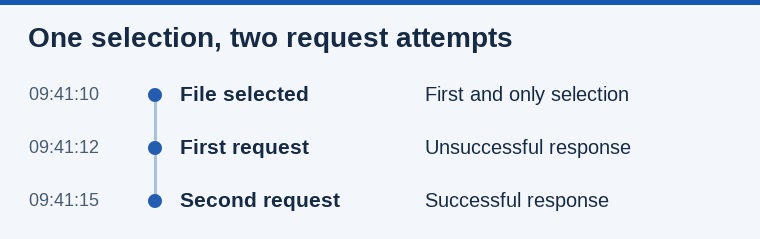
When a reviewer finds a second entry, reconstruct the sequence before changing the incident count. A person can select a file, remove it and select it again. One selection can also lead to a failed request followed by a successful retry. Where available, use the selection identifier, related request identifiers and sequence times to distinguish those cases.
For example, a file picker is used once, a request fails and a second one succeeds. Your working note should say “one selection, two request attempts, one successful response.” If the browser did not expose identifiers that link the attempts, leave the relationship unresolved. Matching names and nearby timestamps are leads for follow-up.
Write the answer the client can rely on
A defensible update for this fictional case would read: “At 09:42 UTC, the managed browser recorded a request linked to Q4_client_report.xlsx at ChatGPT and received HTTP 200. Partial local inspection identified email-address and phone-number patterns. We have not established whether the service retained the file. The workspace administrator is checking the account record, and Finance is confirming the file version.”
Keep the event ID in the restricted case file. Agree who will give the next update and when. If later evidence establishes attachment, access or deletion, add a dated entry that explains what changed. You can inspect the sample document events to practice the review before you need to handle a real client question.