
Penetration Testing
Mobile App Pentest: Penetration Testing That Proves What a Stolen Phone and Its API Give Away. Report in 14 Days, Free Retest.
Every copy of your app runs on a device you will never see. The binary, the local storage and every API call are in the attacker’s hands the moment the phone is.
Our mobile app pentest is scoped around the six places an app gives data away: on-device storage and the keychain, the binary and its secrets, runtime hooking and root or jailbreak handling, authentication and biometrics, transport and the API behind the app, and the deep links, WebViews and third-party SDKs around it. Every finding is a proven path on a real device, tagged to its OWASP MASVS control and mapped to the PCI DSS, HIPAA, SOC 2 or GDPR requirement your auditor will cite. Fixed price, report in 14 days, free retest.
- Tested on jailbroken iOS and rooted Android devices, with the API behind every request
- Findings tagged to OWASP MASVS controls and the regulation your auditor will cite
- Written rules of engagement: test accounts only, agreed API windows, a stop condition
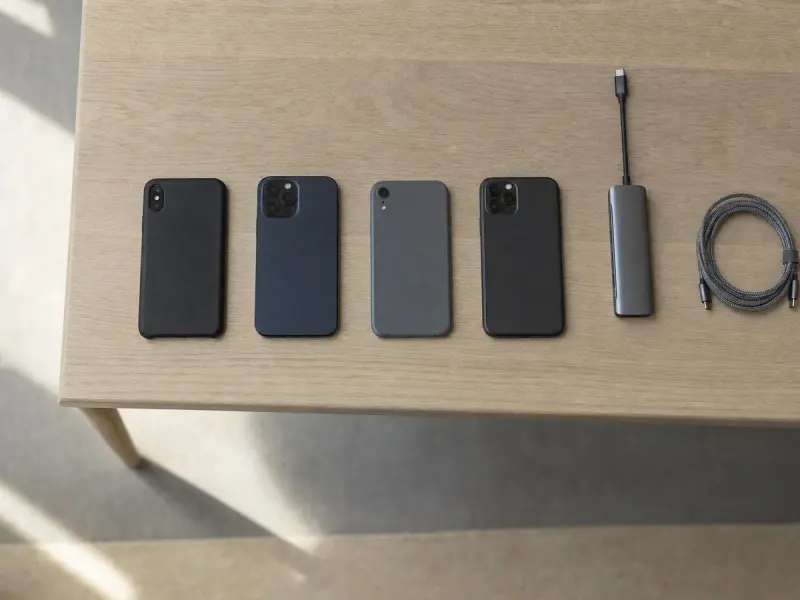
Expert-led testing on real devices: binary, storage, runtime and API, worked through the way an attacker holding the phone would.
SEE THE DELIVERABLE
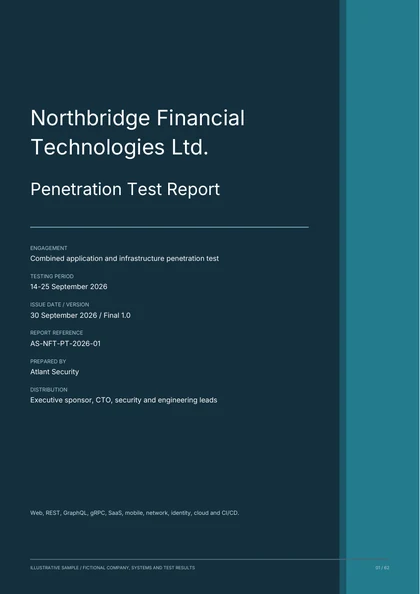
See what a useful
penetration test report looks like.
Review a combined engagement covering web, REST and GraphQL APIs, gRPC, SaaS tenant isolation, Android and iOS, networks, cloud, identity and CI/CD. Includes technical evidence, remediation and retest criteria.
62 pages. 24 findings. 14 charts, diagrams and matrices.
Illustrative penetration test. The organisation, systems and findings are fictional.
Get the sample report
A free PDF. Enter your email and company name, and we’ll email you a download link.
DEFINE YOUR SCOPE
Turn your testing requirements into a clear RFP.
Build one request for your applications, APIs, networks, and cloud. Review the scope, download your document, and send a copy to your inbox and our team.
REQUEST RECEIVED
Your RFP is submitted.
Reference: . Email copies are being sent to and Alexander at Atlant Security. Check your spam folder if needed.
You can also book a call to discuss the scope.

Leads every mobile app pentest personally, runs the remediation workshop with your iOS and Android developers, and signs the attestation letter your auditor reads.
Connect on LinkedIn01 / THE DETAIL
What a Mobile App Pentest Actually Tests
A generic penetration test treats a mobile app as one more client of the web test. A mobile app pentest scopes by where the app gives data away, because the device belongs to the attacker and the server has to assume it. Six boundaries cover almost every app we have assessed.
Local storage and the keychain
Tokens in UserDefaults or SharedPreferences, SQLite databases, caches, logs, the pasteboard, screenshots and the backup. Keychain and Keystore items are checked for the access-control flags that decide whether a locked phone protects them. MASVS-STORAGE.
The binary and its secrets
The IPA or APK decompiled and read: API keys, signing secrets, endpoints and feature flags in the strings, the quality of obfuscation, and whether a patched, repackaged build still runs against your API. MASVS-CODE and MASVS-RESILIENCE.
Runtime hooking and device integrity
Root and jailbreak detection, debugger and emulator checks and anti-tampering, attacked with Frida and Objection on instrumented devices. Whether a detected device is refused, warned, or quietly allowed through. MASVS-RESILIENCE.
Authentication, sessions and biometrics
Session and refresh token lifetime, device binding, step-up for sensitive actions, and what the biometric prompt actually releases: a key from the Secure Enclave or Keystore, or a boolean the app trusts. MASVS-AUTH.
Transport, pinning and the API behind the app
TLS configuration, certificate pinning and how many lines of Frida it takes to remove it, then the API itself: object and function-level authorisation, rate limits, and the endpoints the app never calls. MASVS-NETWORK.
Deep links, WebViews and third-party SDKs
Custom URL schemes, Universal Links and App Links, exported Activities and Content Providers, WebViews with JavaScript bridges, and the analytics, crash and advertising SDKs that see every screen. MASVS-PLATFORM and MASVS-PRIVACY.
iOS and Android: the same six questions, different mechanisms
Each platform answers the same questions with its own storage, attestation and hooking points.
iOS
- IPA reverse engineering with class-dump, Hopper and Frida
- Keychain access-control flags and Data Protection classes
- App Transport Security exceptions and certificate pinning
- Swift and Objective-C runtime hooking
- Jailbreak detection and App Attest handling
- Universal Links and custom URL schemes
- LocalAuthentication results and Keychain-bound biometrics
- Snapshots, the pasteboard and iCloud backup exposure
Android
- APK decompilation with jadx and apktool, Smali patching
- SharedPreferences, SQLite and internal storage inspection
- Android Keystore use and hardware-backed key attestation
- Exported Activities, Content Providers and Intents
- Root detection and Play Integrity handling
- App Links, deep links and WebView settings
- allowBackup, debuggable and the network security config
- Certificate pinning removal with Frida
02 / THE DETAIL
The Attack Paths That Repeat in Mobile Apps
These are the findings that recur across the mobile apps we assess, from single-platform consumer apps to banking and healthcare apps with both platforms and an API. Most are invisible to a static scanner, because the code compiles cleanly and the weakness is in what the app trusts: the device, the token, or the identifier it sends.
Refresh tokens stored outside the Keychain or Keystore
A long-lived refresh token in UserDefaults or SharedPreferences, readable from a backup or a rooted device. The biometric prompt guards the screen while the token behind it sits in a plain file.
Certificate pinning that falls to one hook
Pinning implemented in a single method, removed with one Frida script or an Objection command. From then on every request the app makes is readable and replayable through a proxy.
Root and jailbreak detection as a boolean
One check, one return value, patched in Smali or hooked at runtime. The app then runs on an instrumented device as if nothing happened.
API keys and signing secrets in the binary
Third-party service keys, the HMAC secret that signs requests and staging endpoints, all in the strings of the package. Request signing meant to stop replay becomes a formality once the secret is public.
An API that trusts the account ID the app sends
The app only ever sends its own user’s identifier, so nobody noticed the server never checks it. Change one number in the request and the API returns another customer’s records. OWASP API1.
Biometrics that return a boolean
The prompt reports success and the app decides what happens next, so hooking the callback makes the decision for it. The fix is a key released by the Secure Enclave or Keystore only on a successful prompt.
03 / THE DETAIL
What the Report Has to Prove, and to Whom
A mobile app pentest report has two readers. The developer wants the hooked method, the file path on the device and the fix in Swift or Kotlin. The auditor wants to see that the app was tested independently, that the finding was understood, and that it was closed. Most reports serve the first reader and leave the second to reconstruct the evidence.
Ours carries both. Every finding is tagged with its OWASP MASVS control and Mobile Top 10 category for the developer, and with the PCI DSS, HIPAA, SOC 2, GDPR or ISO 27001 clause it bears on for the auditor. The executive summary gives the board its headline in two minutes, and the retest and attestation letter close the audit file.
For an app that takes card data the scope is written to PCI DSS Requirement 11.4. For an app that holds PHI it serves the HIPAA Security Rule evaluation standard, and for a SOC 2 report it is the CC7.1 evidence your auditor asks for. The standard the findings are tagged to is public: OWASP MASVS and MASTG.
OWASP Mobile Top 10 (2024) coverage
Every finding carries its Mobile Top 10 category. What is tested under each, and the finding that tends to sit there:
Improper Credential Usage
Hardcoded keys, credential storage, token handling. Typical finding: API keys in plaintext, tokens in SharedPreferences.
Inadequate Supply Chain Security
Third-party SDKs, dependency versions, known CVEs. Typical finding: an analytics SDK receiving personal data.
Insecure Authentication/Authorization
Biometric bypass, session handling, object-level authorisation. Typical finding: a hooked biometric callback.
Insufficient Input/Output Validation
Local SQLite, WebView JavaScript, deep link parameters. Typical finding: JavaScript injected through a deep link.
Insecure Communication
Pinning, cleartext fallback, TLS configuration. Typical finding: pinning removed with one hook.
Inadequate Privacy Controls
Logs, pasteboard, screenshots, analytics events. Typical finding: cached screenshots of sensitive screens.
Insufficient Binary Protections
Obfuscation, anti-tampering, root and jailbreak detection, repackaging. Typical finding: a repackaged build that still runs.
Security Misconfiguration
Backup flags, debug settings, exported components, WebView settings. Typical finding: allowBackup enabled.
Insecure Data Storage
Keychain and Keystore use, file permissions, database encryption. Typical finding: tokens in UserDefaults.
Insufficient Cryptography
Algorithm choice, key management, IV reuse, custom cryptography. Typical finding: hardcoded keys, ECB mode.

04 / THE DETAIL
Rules of Engagement for Live Mobile Apps and Their APIs
The app under test is the one your customers run and its API is in production. Before anything is touched, both sides sign rules an engineering lead and a risk committee can both read.
- Test accounts only. Authorisation tests run between accounts you issue to us, one per role. Real customer accounts and records stay untouched, and any modified build runs on our devices alone.
- Agreed windows on the production API. Anything that could trip rate limits, fraud rules or alerting runs inside windows you set, with your on-call engineer told in advance. Load and denial-of-service techniques stay out of scope.
- A named contact and a stop word. One escalation contact on each side, reachable throughout, and a written condition under which testing halts at once, such as an alert in your fraud system.
- Evidence handling. Personal data found in storage, logs or traffic is redacted at capture, held encrypted for the engagement only, and destroyed on a documented date, together with any device images and backups.
- Platform boundary respected. We test your app, its API and the way the app uses the Keychain, Keystore, Secure Enclave and platform attestation. iOS and Android themselves stay out of scope.
05 / THE DETAIL
How the Engagement Runs
Five steps, fixed price agreed at the first one, report inside fourteen days of the third for a single-platform scope, with the date for combined scopes written into the proposal.
Scoping call
Which platforms, which build, whether the API is in scope and which regime the report has to serve. Fixed price and timeline in writing, proposal within 24 hours.
Rules of engagement
A test account per role, a build delivered through TestFlight or an internal track, windows for the production API, contacts on both sides and a written stop condition.
Manual testing
Static analysis of the binary, runtime instrumentation on rooted and jailbroken devices, then the API behind every request. Expert-led, tools for breadth, people for the chains.
Report and workshop
Findings register with reproduction steps and Swift or Kotlin fix guidance, executive summary with MASVS and regulatory mapping, and a live remediation session with your developers.
Retest and attestation
Free retest on the fixed build, then an attestation letter signed by a named qualified individual, written for your auditor or your enterprise customer.
Inside the testing days
Step three breaks into five phases; the last one turns a list of findings into a path to an account.
Setup and traffic capture
Build on jailbroken and rooted devices, proxy in place, every endpoint and SDK inventoried.
Static analysis
jadx, apktool, class-dump and Hopper: secrets, endpoints, cryptography and third-party code read from the package.
Dynamic analysis
Frida and Objection: hooks on pinning, detection, biometrics and business logic while the app runs.
Network and API testing
Every request through the proxy: authentication, authorisation, rate limits and the endpoints the app never calls.
Exploitation and chaining
Findings chained into paths that matter: a readable token to an account, a bypassed check to exported data.
06 / PRICING
Mobile App Pentest Pricing
Each scope is a fixed price. Both-platform and API-inclusive scopes go into one proposal with volume pricing, and you approve the total before anything starts.
| Scope | What is covered | Testing | Price |
|---|---|---|---|
| Single platform | iOS or Android, one app, all user roles | 10-14 days | From $5,000 |
| One platform plus its API | iOS or Android, plus the API the app calls | 10-14 days | From $6,000 |
| Both platforms | iOS and Android builds of the same app | Fixed at scoping | From $8,000 |
| Both platforms plus API | iOS, Android and the full API surface | Fixed at scoping | From $12,000 |
Every scope includes the findings register, the executive summary with MASVS and regulatory mapping, the remediation workshop, a free retest and the attestation letter. Every published price is on the pricing page.
For small projects and ad-hoc work outside our pre-agreed packages or retainers, our standard hourly rate is $460.
07 / THE DETAIL
Mobile App Pentest or Vulnerability Scan
Two controls that get bought as if they were one. A scanner reads the package. A pentest runs the app on a hostile device and follows what it finds into the API.
Scanning belongs in the build pipeline, on every release; the pentest is the control the auditor asks for once a year and after a significant change. A standalone vulnerability assessment covers the scanning side.
08 / THE DETAIL
Who Commissions a Mobile App Pentest
09 / THE DETAIL
Find Out What a Stolen Phone Gives Away
One scoping call. Bring the app, your last pentest report, your auditor’s request, or nothing at all. You will leave with a scope written as questions, a fixed price, and a date for the report.
Scope My Mobile App Pentest10 / THE DETAIL
Book the Scoping Call
Choose a time for your scoping call.
11 / FAQ
Mobile App Pentest FAQ
What is a mobile app pentest?
How much does a mobile app pentest cost?
How long does a mobile app pentest take?
Do you test both iOS and Android, and on real devices?
Do you need our source code?
Can you bypass our jailbreak or root detection?
Does the test cover the OWASP Mobile Top 10 and MASVS?
Is the backend API included?
Which regulations require a mobile app pentest?
How is a mobile app pentest different from a web app pentest?
Do you retest after we fix the findings?
12 / THE DETAIL
Related Services
Penetration testing - Network pentest - Cloud pentest - API penetration testing - Web application penetration testing - SaaS penetration testing - Bank pentest - HIPAA compliance - PCI DSS compliance - SOC 2 readiness - continuous AI penetration testing on Pentestas