Procurement can tell you which AI subscriptions the company pays for. Engineering can tell you which coding assistants it approves. Neither list answers the question a board member is likely to ask: “Which tools are people actually using with our work data?” To answer that, pick a defined group of Windows devices, compare what you observe with what the business has approved, and give every discrepancy an owner.
The examples below use the fictional Northstar workspace in AI Tool Tracking. You can use the same method with another source of endpoint and browser records. The important part is keeping the observation, its limits and the business decision in separate columns.
Count the devices you can actually see
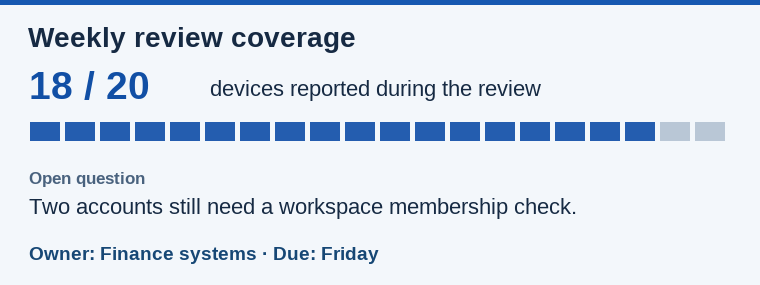
Suppose Finance gives you a list of 20 managed laptops for a one-week review. Record all 20 before collecting events. For each, check its last heartbeat, browser extension status and whether the current policy reached it. A laptop that stopped reporting on Tuesday contributes two days of observations to your review. Treat the rest of its week as a gap.
Tell the team what the pilot records and who can review it. You can establish that a tool was in use without asking employees for their conversations. In your report, distinguish a reporting device with no observed activity from a device that never reported.
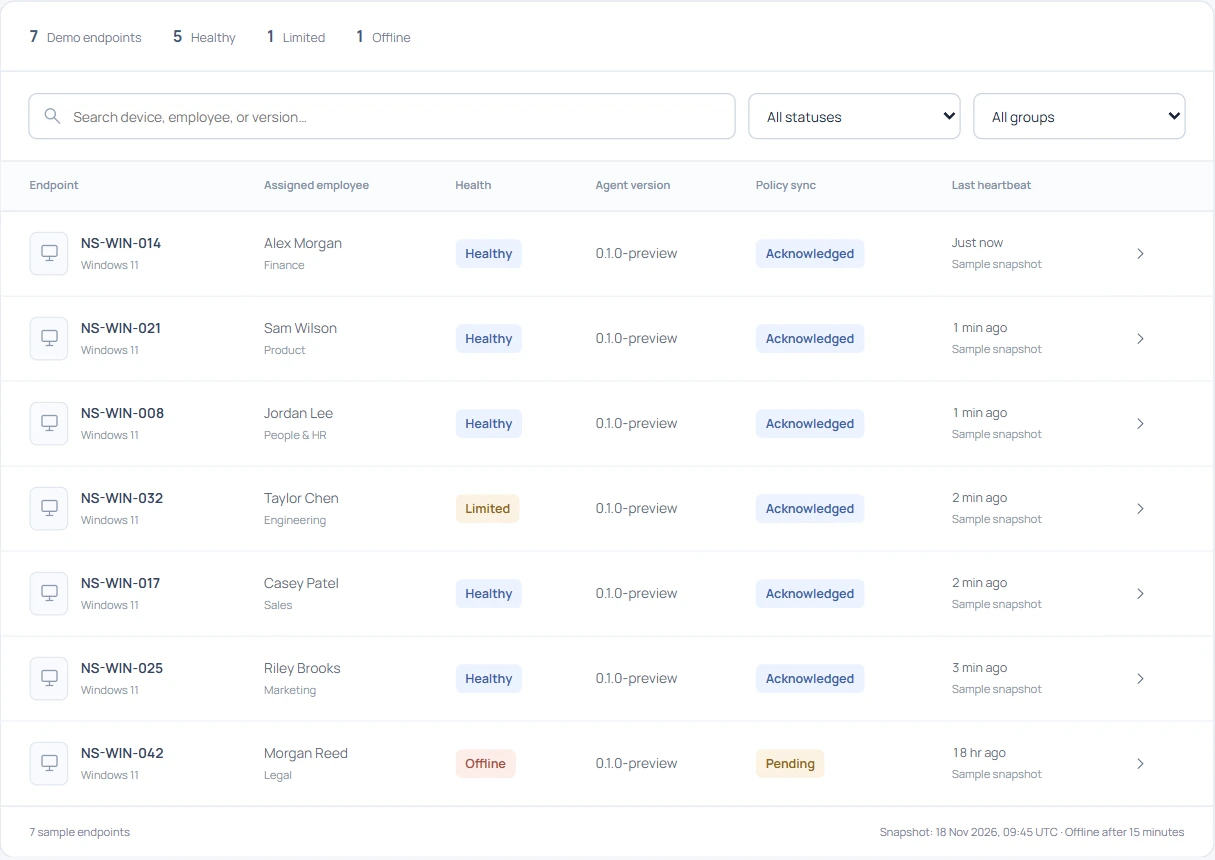
Decide what each signal can establish
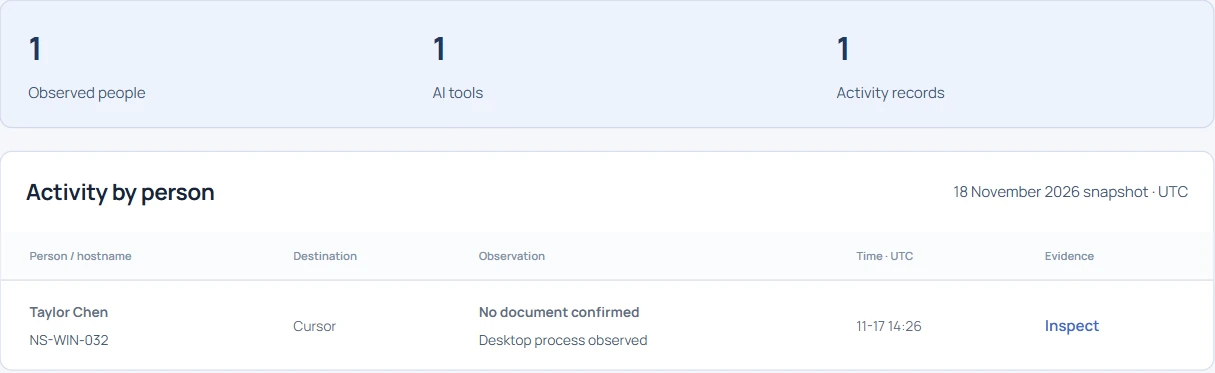
A running Cursor process tells you the editor was open at the sampled time. A browser paste on a supported Claude page tells you someone pasted text. Those are different observations. Neither one identifies the model that answered a prompt. Write down the action your source recorded so a second reviewer can reach the same conclusion.
Check coverage for the exact product and surface the team uses. A desktop client and a browser tab can carry the same brand but expose different events. The product coverage list distinguishes browser gestures, related browser requests and Windows process observations.
Connect the account to the device and time
Keep the tool, work account, hostname, timestamp and time zone together. Before following up with an individual, check whether the laptop was shared, reassigned or used for a remote session. The asset register may name the person who received the laptop last year. You need the account active during the event.
For an inventory, the department and tool owner are often enough. Restrict individual event details to reviewers who need them to resolve a specific question. Also check the AI workspace: a work account on Windows does not establish that the person signed in to the company’s AI subscription.
Compare the observed use with the approved use
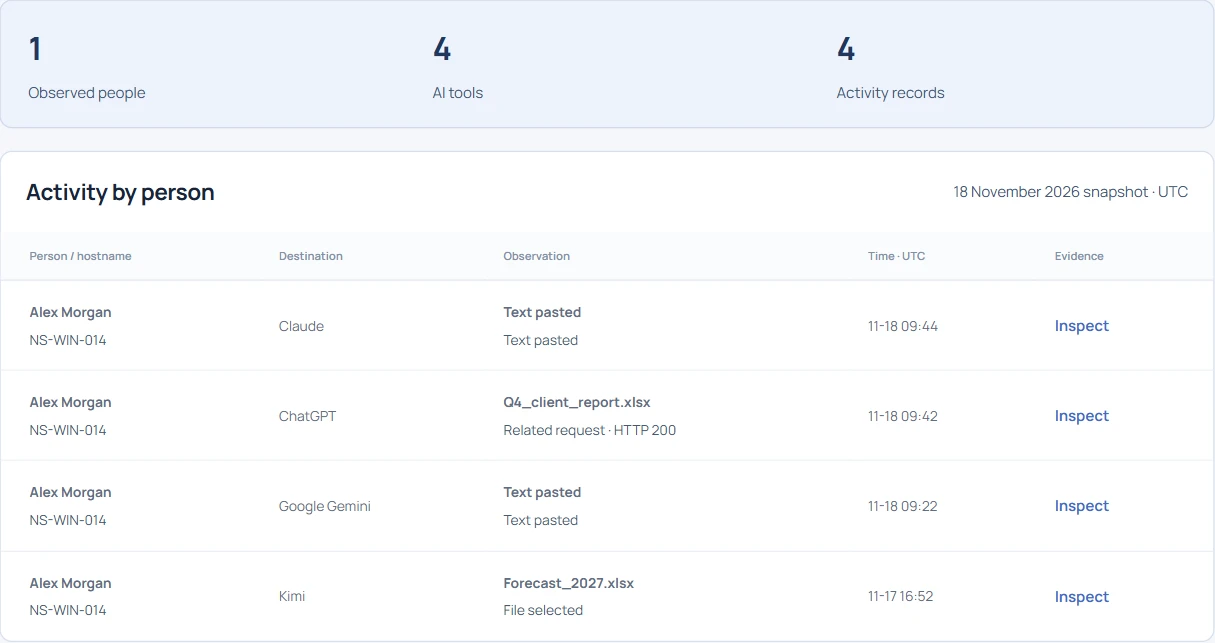
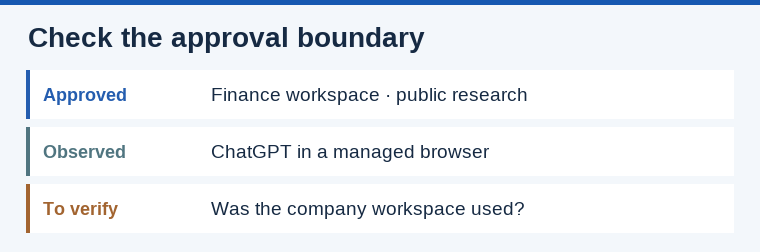
Ask the business owner for the approved workspace, team, purpose and permitted data. A blanket entry such as “ChatGPT approved” is too vague to resolve a finding. Finance might have permission to use a company workspace for public research while client spreadsheets require separate approval.
If you can see the destination but cannot establish the workspace, record the gap and ask the workspace administrator to check membership. If the use falls outside the approved purpose, send it to the tool owner for a decision. A new name in the inventory is a reason to investigate. It is poor evidence of misconduct on its own.
Report people, tools and events separately
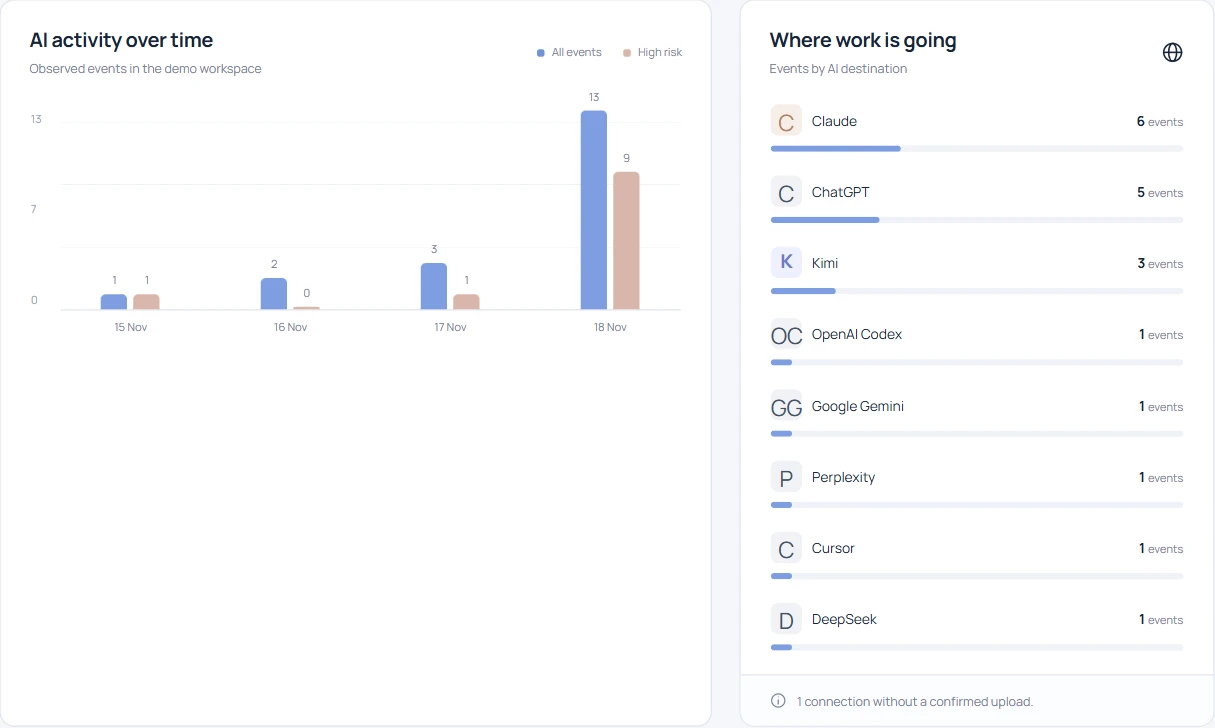
Six events in Claude could represent one employee repeating an action, six people acting once, or something in between. To count people, use distinct verified accounts over the stated period. To count tools, agree how you will group product names and distinguish separate business workspaces. Keep raw event volume on its own line.
When the total rises, compare the device population first. Enrolling another department can produce a jump even if nobody changes how they work. An unexplained increase is a good reason to sample records before changing policy.
Give the next reviewer a decision to make
For each unresolved tool, record one owner, one question and a review date. A useful closing note might read: “Finance uses ChatGPT on managed laptops. Workspace membership is unconfirmed for two accounts. The Finance systems owner will check the company workspace on Friday.” Another analyst can act on that sentence without reopening every event.
Give management the date range, the device coverage, the tools observed and the decisions still open. Keep the account-level records in the restricted working file. At the next review, test whether the open questions were resolved and whether coverage changed before comparing the totals.