
Which AI tools are in use?
Look up a work account or hostname to see observed tools and times. Compare those records with your approved tools list. On a shared PC, check the session before attributing an action to an individual.
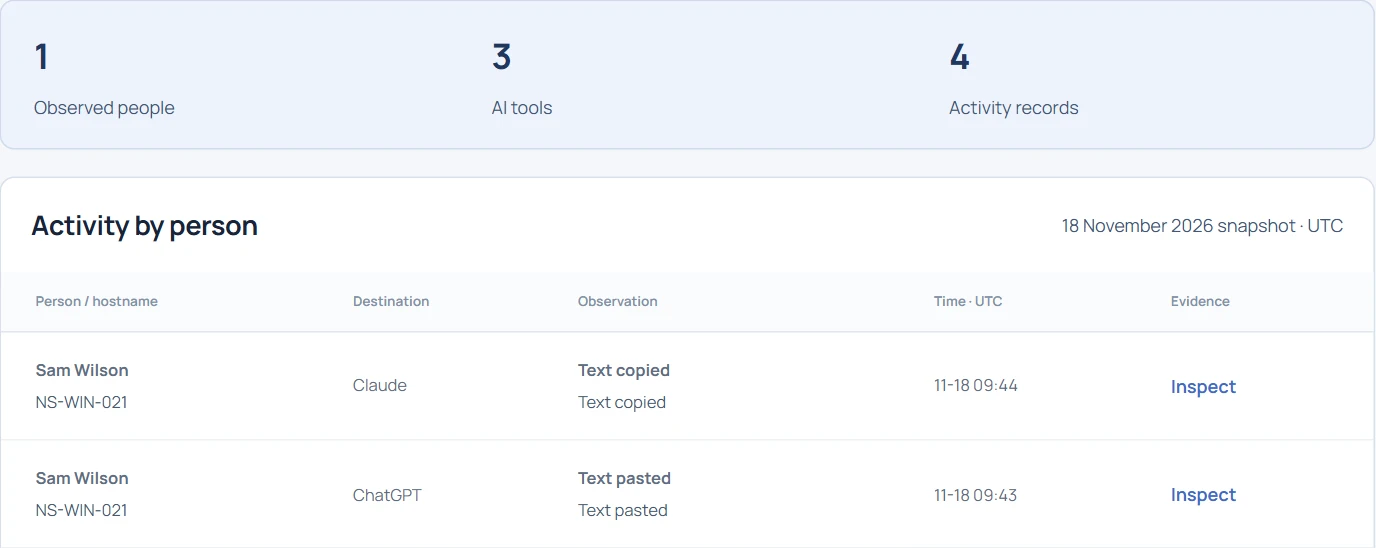
AI usage monitoring
Which AI tools are employees using, and what data might they be sharing? Trace activity on managed Windows devices to an account, a device and an AI destination. Open the event to see what the browser or endpoint actually observed.
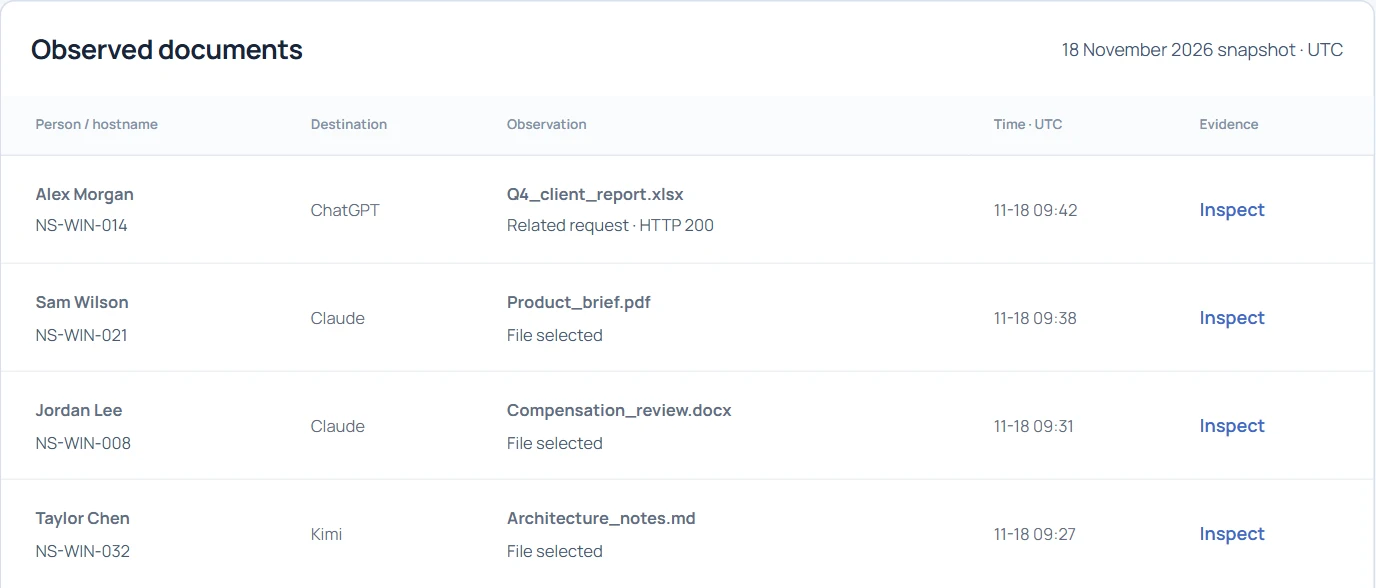
Look up a work account or hostname to see observed tools and times. Compare those records with your approved tools list. On a shared PC, check the session before attributing an action to an individual.
Start with a filename. Review the AI destination, file size, time, inspection status and any related browser request. A file can be selected even if the user later cancels.
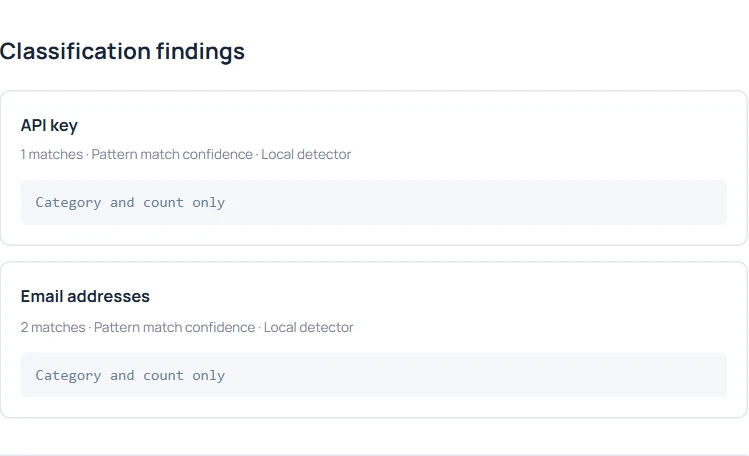
On supported AI pages, the browser extension can flag patterns such as an API key or a set of email addresses. Give the credential owner the device, time and finding type so they can investigate.
From the public demo
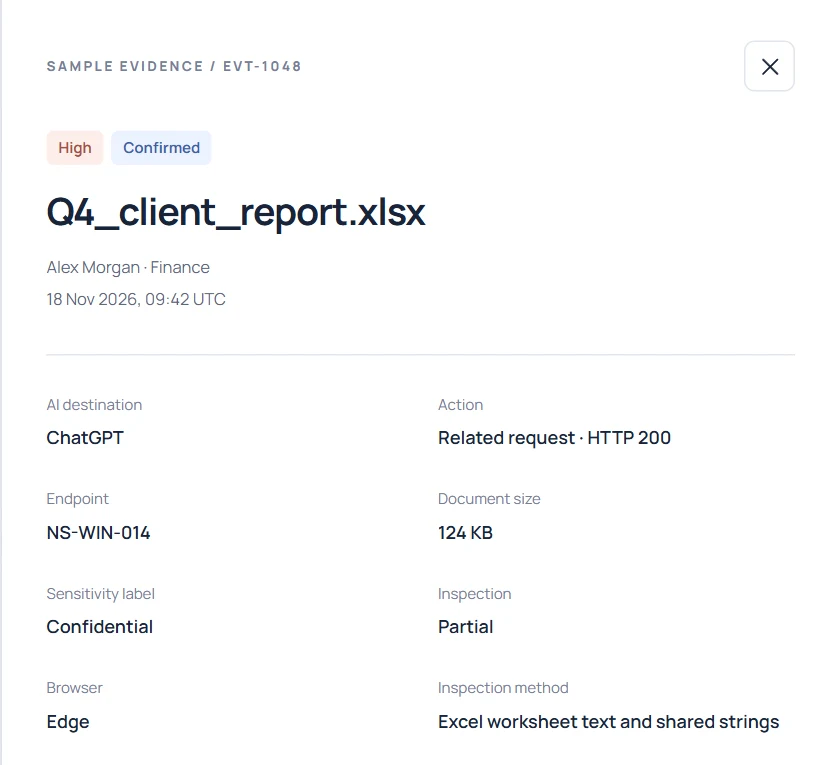
In the fictional Northstar workspace, search for Q4_client_report.xlsx. The event identifies a Finance account, a Windows device and an Edge session. Local inspection found email addresses in the worksheet and marked the inspection as partial.
The browser also recorded a related request with an HTTP 200 response. Whether the provider stored the spreadsheet is still unknown. A reviewer can attach the event to a case, note that open question and assign someone to follow up.
Inspect the sample document event ↗The Windows pilot lists 41 distinct AI products. Coverage includes 34 browser products and 14 Windows clients, editors or command-line tools. Some appear in both groups.
On supported pages, the extension records actions such as file selection, drag-and-drop and paste. Examples include Gemini, GitHub Copilot and Perplexity. Inspection depends on the destination, file type and size.
On ChatGPT, Claude and Kimi, a matching network request can add transfer evidence when the browser exposes the filename. Read the request outcome alongside the original file event.
A process observation can show that Cursor, Codex or another recognized client was running during a sampled session. The prompt, model and document being edited remain unknown from that observation alone.
Routine reporting sends event metadata, inspection status and detector counts. Supported content is inspected locally. Reviewers can see that text matched a credential pattern without seeing the pasted secret. An encrypted or uninspected file can still have a recorded name and destination.
Enrolled users sign in to their organization’s dashboard with Microsoft Entra ID. Workspace membership and role determine who can review the findings. Optional encrypted file retention is a separate staging capability.
Review dashboard access and evidence handling ↗Choose a device group, the AI tools employees use and a harmless test file. Check that the enrolled devices report in, reproduce a file selection and a paste, then ask your reviewer to find both events. That gives you a practical coverage check before expanding the pilot.
Group deployment through Intune is being validated in staging. Pilot scope, availability and pricing are agreed before deployment.