
SaaS Security Assessments & Audits
Microsoft 365 Security Audit From $1,450
A Microsoft 365 security audit of your live tenant: every Conditional Access policy, admin role, consent grant, Intune policy, mail rule and sharing setting, read by a former Microsoft Security Consulting team member, with the attack path each gap opens.
Benchmarked against the CIS Microsoft 365 Foundations Benchmark, CISA SCuBA and Microsoft Secure Score, over screen-sharing sessions with your IT team driving. Each finding names the business risk and the exact setting to change. Fixed price agreed before we start, the report the next business day after your last session, and you pay after you have read it.

Your IT team at the keyboard, Alexander reading the configuration, your credentials staying with you.
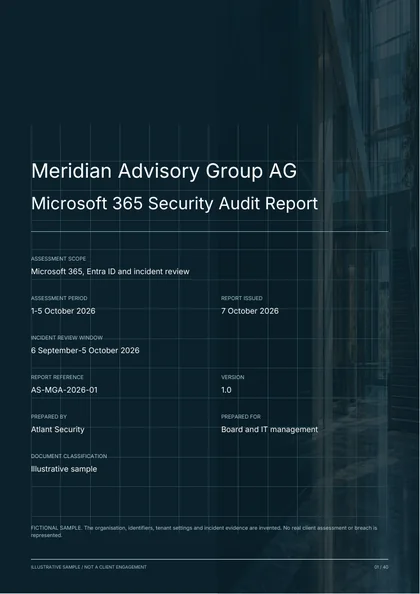
SEE THE DELIVERABLE
See what a useful
audit report looks like.
Review a Microsoft 365 and Entra ID security audit with tenant configuration exhibits, an incident timeline, account recovery procedures and specific corrective actions.
40 pages. 22 findings. 8 graphs and diagrams.
Illustrative Microsoft 365 assessment. The organisation, evidence and findings are fictional.
Get the sample report
A free PDF. Enter your email and company name, and we’ll email you a download link.
01 / THE DETAIL
Check Your Domain First, Free
Type the domain you use for email. In about ten seconds you get a public-record read of the tenant: whether it is a Microsoft Entra tenant and where, how mail is delivered, SPF, DKIM for Microsoft 365, DMARC, MTA-STS, DNSSEC, and whether Entra device registration and Intune enrollment are set up in DNS. It reads public records only and leaves the tenant untouched.
Public DNS and Microsoft discovery records only. We keep the domain and the result so Alexander can prepare if you book a call.
The free check reads public records only. Conditional Access, MFA coverage, legacy authentication, admin roles, consent grants, Intune policies, Defender policies and sharing settings can only be read from inside the tenant, which is what the Microsoft 365 security audit does.

Reads your Conditional Access policies, admin roles and consent grants himself during the screen-sharing sessions. Former Microsoft Security Consulting team.
Connect on LinkedIn02 / THE DETAIL
What a Microsoft 365 Security Audit Actually Checks
To an attacker the tenant that runs your email, files, devices and sign-ins is one system, and the audit reviews it as one. If you still call it an Office 365 security audit, the scope is the same tenant.
Entra ID identity and Conditional Access
Which policies apply to which users, what each excludes, whether MFA covers every sign-in, where legacy authentication is still permitted, and the authentication flows condition that blocks device code flow.
Privileged roles and PIM
Every Global Administrator and privileged role: who holds it, whether it is standing or eligible through Privileged Identity Management, and whether administrators use separate accounts.
App registrations, enterprise apps and consent grants
The applications users have consented to, the permissions they hold on mail and files, the credentials on app registrations, and whether user consent to any application is open.
Intune device compliance and app protection
Compliance policies, configuration profiles, app protection (MAM) for personal phones, enrollment restrictions, Windows Autopilot and update rings, and whether Conditional Access requires a compliant device.
Defender and Exchange Online mail flow
Safe Links and Safe Attachments policies, anti-phishing settings, Defender for Endpoint onboarding, and the transport rules and forwarding settings that decide where mail goes.
SharePoint, OneDrive and Teams sharing with Purview
External sharing at tenant and site level, Teams guest access, Purview DLP, retention and sensitivity labels, and whether the unified audit log is recording.
Run the free script first: the PowerShell auditing script, the Microsoft 365 auditing application, the guide to the script and the Microsoft 365 security audit checklist. Bring the output to the scoping call.
03 / THE DETAIL
The Misconfigurations That Repeat in Microsoft 365 Tenants
Most tenants were set up under time pressure, then changed by a succession of administrators, an MSP and Microsoft’s own default changes. These six findings come back in tenants of every size.
Legacy authentication still allowed somewhere
Exchange Online has retired basic authentication, so tenants assume the matter is closed. What closes it is a Conditional Access policy that blocks legacy authentication clients for all users. We check who it excludes.
Conditional Access that excludes the admins
An exclusion added during a lockout scare, a break-glass account that grew into a group, a policy left in report-only mode for a year. The accounts with the most power get the least enforcement.
Standing Global Administrator with PIM unused
Permanent Global Administrator on daily-use accounts, sometimes on the former MSP as well, while Privileged Identity Management sits unconfigured. A phished admin mailbox is then a phished tenant.
Device code flow still allowed
A user can sign in on a second device by typing a short code at microsoft.com/devicelogin. An attacker sends that genuine link with a code they generated, the victim signs in with MFA, and the attacker's session receives the tokens. The fix is a Conditional Access policy using the authentication flows condition to block device code flow for all but the accounts that need it.
Mailbox forwarding and transport rules nobody reviews
An auto-forward to an outside address set during a compromise, an inbox rule that deletes security alerts, a transport rule added by a departed administrator. Mail keeps leaving long after the password was changed.
"Anyone with the link" sharing as the default
Tenant-level SharePoint and OneDrive sharing set to Anyone, so a link pasted into a Teams chat opens for whoever receives it, without a sign-in. Guests that never expire add outside readers nobody can list.
04 / THE DETAIL
What the Report Has to Prove, and to Whom
The report has two readers. Your administrator wants the policy name, the current value and the value to set. Your auditor, insurer or board wants proof of an independent review against a recognised benchmark.
Every finding carries its CIS Microsoft 365 Foundations Benchmark control and SCuBA baseline and, where you ask for it, the SOC 2 criterion, ISO 27001 Annex A control, NIST SP 800-53 control or HIPAA Security Rule paragraph it bears on. For SOC 2, ISO 27001 or HIPAA readiness, the audit doubles as the technical evidence for the Microsoft cloud.

05 / THE DETAIL
How We Work Inside a Live Tenant
Both sides agree the access model before the first session.
- Your team drives. Screen-sharing sessions with your IT team at the keyboard, or a time-limited read-only reviewer role such as Global Reader.
- Global admin credentials stay with you. We never hold them, and any access granted for the review ends with it.
- Nothing is changed during the review. We read and record. Every change waits for the remediation plan and your change control.
- A named contact on both sides. One person at Atlant and one in your team, for scheduling and for anything on screen.
- Evidence stays in the report. What we capture becomes the evidence for each finding, as the setting stood on the day.
06 / THE DETAIL
How the Engagement Runs
Five steps. The price is fixed at the first, and the invoice waits for the last.
Scoping call
Licensed workloads, user count, hybrid or cloud-only identity, Intune footprint, connected apps. Fixed price in writing within 24 hours.
Session plan and access model
Which sessions and who attends, or the time-limited read-only reviewer role. A named contact on both sides.
Configuration review
Entra ID, Intune, Defender, Exchange Online, SharePoint, Teams and Purview against CIS, SCuBA and Secure Score. Data collection takes 2-5 business days.
Report and remediation walkthrough
The report arrives the next business day after your last session, then a walkthrough with your IT team in priority order, setting by setting.
You pay after delivery
Read the report, ask your questions, then we invoice at the price agreed in step one.
07 / PRICING
Microsoft 365 Security Audit Pricing
Three tiers by tenant size, each a fixed price agreed in writing before the first session and invoiced after you read the report.
| Tier | Tenant size | What is covered | Price |
|---|---|---|---|
| Small Business | Up to 150 users | Entra ID and Conditional Access, Intune device and app policies, Defender for Office 365, external sharing and DLP, prioritised remediation plan | From $1,450 |
| Mid-Market | 150 to 1,000 users | Small Business plus PIM, full Intune (MDM and MAM), Defender for Endpoint, Purview DLP, retention and sensitivity labels, executive and technical reports | From $2,755 |
| Enterprise | 1,000+ users, multiple tenants or hybrid identity | All Microsoft 365 and Entra workloads, Intune with Autopilot and co-management, Defender XDR and Purview, custom compliance mapping, dedicated remediation roadmap | Custom |
Several tenants or hybrid identity are priced after the scoping call; a hybrid tenant can combine this audit with the Active Directory security assessment in one proposal. Other fixed-price engagements are on the pricing page.
* Listed prices are starting prices. The final price may change if scoping reveals significant environment complexity or material deviations from security standards.
For small projects and ad-hoc work outside our pre-agreed packages or retainers, our standard hourly rate is $460.
08 / THE DETAIL
Microsoft 365 Security Audit or Secure Score Alone
Secure Score is one of our three benchmarks. It answers a different question from the audit.
09 / THE DETAIL
Who Commissions a Microsoft 365 Security Audit
10 / THE DETAIL
Find Out What One Phished Mailbox Can Reach in Your Tenant
One scoping call. Bring your Secure Score, the output of our free script, or nothing at all. You leave with a fixed price in writing and a date for the report.
Get a Fixed Price11 / THE DETAIL
Book the Scoping Call
Choose a time for your scoping call.
12 / FAQ
Microsoft 365 Security Audit FAQ
What does a Microsoft 365 security audit cover?
Do you audit our Intune device management setup?
What standards do you benchmark against?
Do you need global admin access to our tenant?
How long does a Microsoft 365 security audit take?
How is this different from your Active Directory assessment?
How much does a Microsoft 365 security audit cost?
How often should we audit Microsoft 365?
Does the audit check for device code phishing?
Should we run your free Microsoft 365 audit script first?
13 / THE DETAIL
Related Services
IT security audit - Active Directory security assessment - Cloud security consulting - Vulnerability assessment - Virtual CISO services - SOC 2 readiness - ISO 27001 readiness - HIPAA compliance