
SaaS Security Assessments & Audits
Active Directory Security Assessment
Identify and remediate critical vulnerabilities in your Active Directory and Azure AD environment.

Expert Led
Microsoft Alumni Leadership
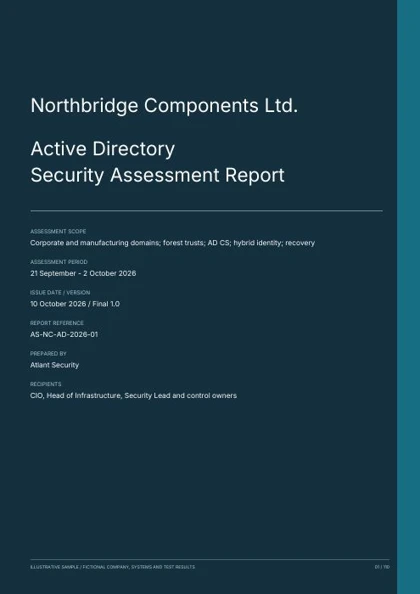
SAMPLE REPORT
See a sample Active Directory assessment.
Review directory configuration, privileged access, trusts, certificate services, hybrid identity, detection and forest recovery. Includes technical evidence, attack paths, corrective actions and retest criteria.
110 pages. 40 categories. 200 checks. 32 findings. 18 graphs and diagrams.
Illustrative Active Directory assessment. The organisation, evidence and findings are fictional.
Get the sample report
A free PDF. Enter your email and company name, and we’ll email you a download link.
01 / THE DETAIL
What is Active Directory Security Assessment?
For small projects and ad-hoc work outside our pre-agreed packages or retainers, our standard hourly rate is $460.
02 / THE DETAIL
Who Needs Active Directory Security Assessment?
Enterprises with complex Active Directory environments that have never been professionally assessed
Organizations migrating to or managing hybrid Azure AD / Entra ID configurations
Companies that have experienced ransomware, identity-based attacks, or lateral movement incidents
Firms needing to comply with DoD STIG, NIST 800-53, SOC 2, or CMMC Active Directory requirements
Organizations with legacy AD environments accumulated over many years with multiple administrators
Companies concerned about Domain Admin escalation paths that ransomware operators routinely exploit
Ready to get started?
Get Your Scope and Price with our Microsoft Security alumni. Fixed-price proposal within 24 hours.
03 / THE DETAIL
Our Methodology
Discovery
Mapping your AD forest, domains, trusts, and hybrid Azure AD configuration.
Attack Surface Analysis
Identifying misconfigurations, privilege escalation paths, and legacy vulnerabilities.
Risk Prioritization
Scoring findings by exploitability and business impact.
Remediation Roadmap
Providing specific, step-by-step fixes prioritized by risk.
04 / DELIVERABLES
What You Get with Active Directory Security Assessment
- AD Configuration & Group Policy Review
- Privileged Account & Admin Tier Analysis
- Kerberos & NTLM Attack Surface Assessment
- Azure AD (Entra ID) Security Review
- Conditional Access Policy Evaluation
- Trust Relationship & Forest Security Analysis
- Service Account Audit & Credential Hygiene
- Attack Path Mapping & Lateral Movement Analysis
05 / PRICING
Active Directory Security Assessment Pricing
Basic AD Assessment
Single-domain environments or a focused configuration review.
- Single Active Directory domain
- Configuration and Group Policy (GPO) review
- Unauthenticated and standard-user testing
- Privileged account and escalation-path analysis
- Prioritized vulnerability report with executive summary and remediation steps
Standard AD Assessment
Full documentation audit, technical analysis, and reporting. Typically 5 to 10 days.
- Everything in Basic
- Full documentation and GPO audit
- In-depth technical analysis (Kerberoasting, AS-REP roasting, delegation, DCSync paths)
- Tiering and administrative model review
- Attack-path analysis from standard user to Domain Admin
- Executive and technical reporting with a remediation roadmap
Enterprise / Advanced Review
Multi-site forests, Azure AD / Entra ID integration, and full remediation mapping.
- Everything in Standard
- Multiple domains and multi-site forests
- Azure AD / Entra ID and hybrid identity review
- Estate-wide attack-path analysis
- Full remediation mapping and prioritization
- Retest of fixes included
The final price is driven by the number of domains, forests, and users, and the depth of the technical review, so your quote comes from scoping rather than a list price. Every engagement includes risk analysis (unauthenticated and standard-user testing), a prioritized vulnerability report with an executive summary and remediation steps, and retesting to verify fixes (included on the Enterprise tier, available as an add-on on the smaller tiers). Fixed-price proposal within 24 hours of scoping.
06 / FAQ
Frequently Asked Questions
What is an Active Directory security assessment?
A comprehensive evaluation examining configuration, administrative practices, privilege structures, group policies, trust relationships, and attack paths against DoD STIG and Microsoft standards. The goal is to identify misconfigurations and create a prioritized remediation plan.
How long does the assessment take?
Data collection takes 2-5 business days. Report delivery is within one week of completion. Full engagement typically spans 2-3 weeks from scoping through final report. The assessment requires minimal team time and causes zero disruption.
Do you need remote access or admin credentials?
No. We do not require remote access, VPN credentials, domain admin accounts, or elevated permissions. The entire process uses screen-sharing with your IT team present for full visibility and control.
What is the difference between an AD assessment and a penetration test?
An assessment evaluates configuration and identifies misconfigurations and attack paths through expert analysis. A penetration test actively exploits weaknesses, simulating escalation from a low-privileged account to Domain Admin. We recommend conducting the assessment first, implementing remediation, then validating with a penetration test.
What security standards do you benchmark against?
We benchmark against two primary standards: the US Department of Defense Active Directory STIG (published by DISA) and Microsoft's comprehensive Active Directory security documentation.
How much does the assessment cost?
We use a transparent, fixed-price model calculated on the time required for your specific AD environment, determined during scoping. Smaller, simpler environments cost less than large enterprises with multiple domains. Payment is due only after receiving the report - and only if you're satisfied with the quality.
Will the assessment disrupt our operations?
No. Our approach is non-intrusive: screen-sharing sessions scheduled at your convenience, no system downtime, no configuration changes, no active exploitation. The only requirement is IT team availability for scheduled sessions.
How often should we assess our Active Directory?
Minimum annually. AD environments change constantly with new users, systems, Group Policy changes, and employee departures. Semi-annual assessments are recommended for rapidly growing organizations. Immediate reassessment should follow any security incident or major infrastructure change.
What happens after report delivery?
We conduct a live review session with IT leadership, walking through the Step-by-Step AD Security Plan, explaining priorities, and answering questions. Organizations can implement using internal IT teams. Many clients engage us for ongoing virtual CISO services to oversee implementation.
Do you assess Azure Active Directory (Entra ID)?
Yes. For hybrid environments, the scope can include Microsoft Entra ID alongside on-premises Active Directory. Hybrid identity creates additional attack surface where cloud and on-premises systems interact. Cloud identity review scope and pricing are determined during scoping.
Can the assessment help with compliance audits?
Significantly. Active Directory hardening is assessed across SOC 2 (CC6 access control), ISO 27001 (Annex A), NIST 800-53 (AC and IA control families), HIPAA (access management), and CMMC. Organizations addressing our findings typically report cleaner compliance audit outcomes.
What is a Domain Admin escalation path?
A sequence of steps exploiting Active Directory misconfigurations that allows an attacker with low-privileged access to elevate to Domain Administrator level. At Domain Admin, the attacker controls the entire domain: accessing any system, creating persistent backdoors, extracting credentials, and deploying ransomware. These paths are critical findings because they represent worst-case scenarios - and are preventable.
07 / THE DETAIL
See Where You Stand
Pick a time that works for you - 30 minutes, no obligation.
Choose a time for your scoping call.