

Cybersecurity · June 2026
Why roughly 43% of cyberattacks land on small businesses, the security stack every SMB actually needs, and a budget-friendly roadmap from $0 to $2K a month. A practical guide for owners who want real protection without enterprise complexity or jargon.
Key Takeaways
- 43% of all cyberattacks target small businesses, yet only 14% of SMBs consider their cybersecurity posture adequate
- You can build meaningful cybersecurity for small business starting at $0/month using free tools and smart policies
- The five essential pillars: MFA, endpoint protection, email security, backups, and employee training
- Phishing, ransomware, and credential theft account for over 80% of successful attacks on small businesses
- Knowing when to DIY versus hiring professional help is the difference between resilience and a false sense of security
Last spring a friend of mine, I will call her Maria, was running a 22-person accounting firm in Denver. She'd built the practice over twelve years. Loyal clients, steady revenue, a small but dedicated team. Cybersecurity wasn't something she thought about much. "We're too small to be a target," she told me once over coffee.
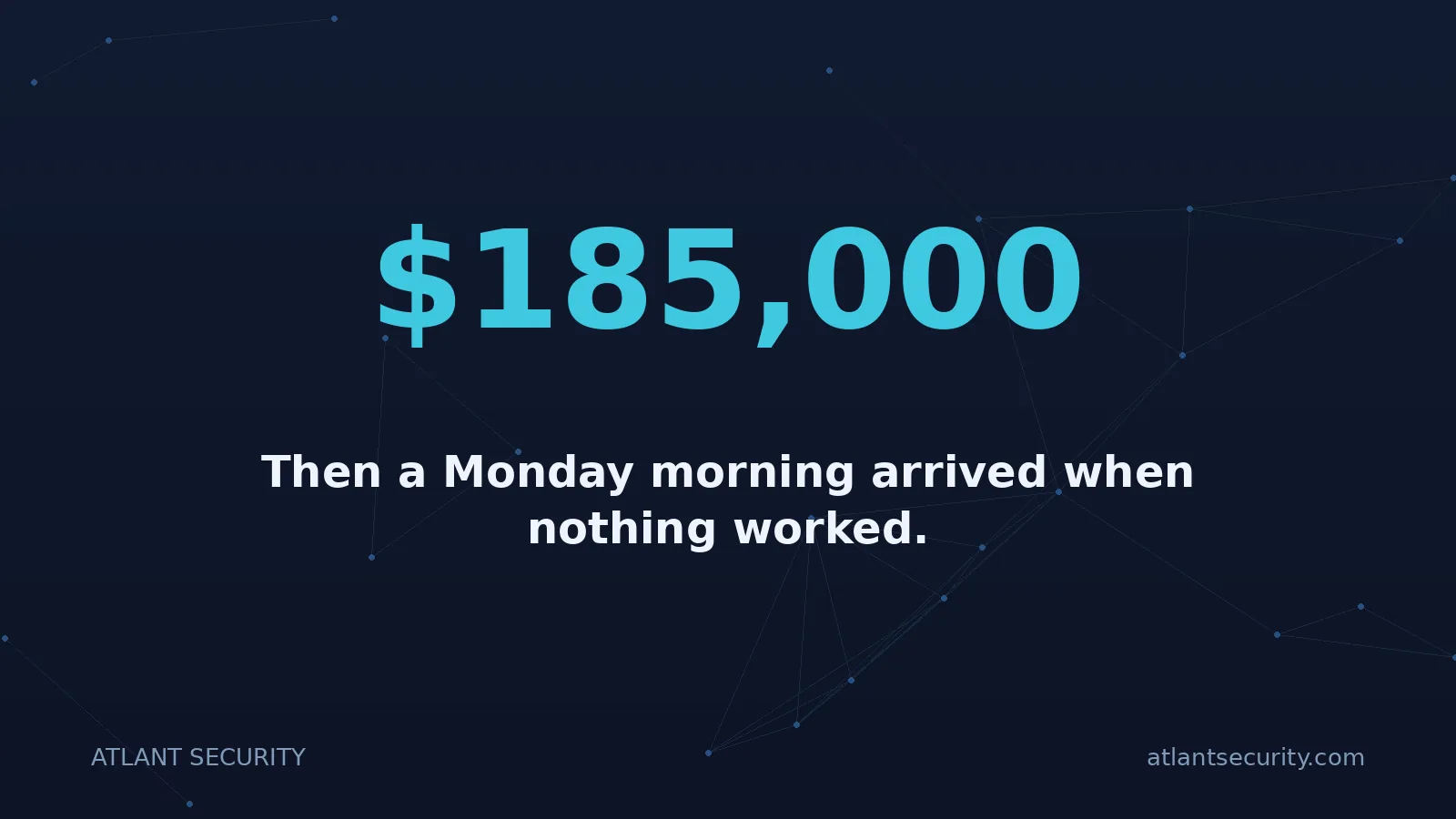
Then a Monday morning arrived when nothing worked. Every workstation displayed the same message: "Your files have been encrypted. Pay 4.2 Bitcoin ($185,000) within 72 hours or your data will be published." The attackers had gotten in through a phishing email that one employee clicked on a Friday afternoon. By the time anyone noticed, the ransomware had spread to their file server, their backup drive (connected 24/7 to the network), and their cloud-synced folders.
Maria didn't pay the ransom. She couldn't afford to. Instead, she spent $94,000 on incident response, data recovery (partial), client notifications, regulatory reporting, and rebuilding her systems from scratch. She lost three clients who couldn't trust her with their financial data anymore. The whole ordeal took four months to resolve.
Here's what haunts me about Maria's story: almost everything that went wrong was preventable. Not with expensive enterprise security software. Not with a full-time IT security team. With basic, affordable measures that any small business can implement. If you would rather hand the list to someone, Atlant Security packages affordable cybersecurity support for businesses: a Microsoft 365 security audit from $1,450 and ongoing support from $1,500 a month, both at a fixed price agreed first.
This guide is the resource I wish Maria had read six months earlier. It covers everything a small business owner needs to know about cybersecurity for small business: why you're being targeted, what to protect first, how much it actually costs, and when it's time to bring in professional help.
The Threat Landscape
Why Cybercriminals Love Small Businesses
There's a dangerous myth floating around: "Hackers only go after big companies." The data tells a very different story. According to Verizon's Data Breach Investigations Report, 43% of all cyberattacks now target small businesses. And the trend is accelerating, not slowing down.
Why? Because cybercriminals are rational economic actors. They look for the best return on investment, and small businesses offer exactly that:
Five Reasons SMBs Are Prime Targets
- Weaker defenses, real data. Small businesses hold the same valuable data as large enterprises - customer PII, financial records, health information, payment card data - but protect it with a fraction of the security controls.
- No dedicated security staff. 47% of businesses with under 50 employees have zero IT budget allocated to cybersecurity. Many rely on "the person who's good with computers" rather than trained security professionals.
- Supply chain access. Small businesses often have trusted connections to larger organizations. Compromising a 15-person vendor can be the backdoor into a Fortune 500 company's network.
- Higher likelihood of paying ransoms. Small businesses can't survive weeks of downtime. Attackers know this and calibrate ransom demands to amounts that are devastating but potentially payable - typically $10,000 to $250,000.
- Automation makes scale easy. Modern attacks are automated. A criminal doesn't choose between attacking one large company or one small company - they attack thousands of small companies simultaneously, knowing a percentage will fall.
The Cost of a Breach for Small Business
The average cost of a data breach for businesses with fewer than 500 employees is $3.31 million (IBM Cost of a Data Breach Report 2025). But that headline number hides the real pain points:
- 60% of small businesses that suffer a significant breach close within six months
- Average downtime from a ransomware attack: 22 days
- Customer churn after a breach averages 3.4% - and for trust-dependent industries like accounting, legal, and healthcare, it can be far higher
- Regulatory fines (HIPAA, PCI DSS, state privacy laws) can range from $10,000 to $1.5 million+ depending on negligence
Small businesses aren't targeted despite being small. They're targeted because they're small. The combination of valuable data and minimal security is exactly what automated attack tools are designed to exploit.
Know Your Enemy
The Most Common Attack Vectors for Small Businesses
Understanding how attacks happen is the first step toward stopping them. Here are the attack vectors responsible for the vast majority of small business breaches, ranked by frequency:
| Attack Vector | % of SMB Breaches | How It Works | Primary Defense |
|---|---|---|---|
| Phishing / Social Engineering | 36% | Fraudulent emails trick employees into clicking malicious links or revealing credentials | Employee training + email filtering + MFA |
| Stolen / Weak Credentials | 29% | Attackers use passwords from previous data breaches or brute-force weak passwords | MFA + password manager + unique passwords |
| Ransomware | 18% | Malware encrypts all accessible files and demands payment for decryption keys | Offline backups + endpoint protection + patching |
| Unpatched Software | 12% | Known vulnerabilities in outdated software are exploited using widely available attack tools | Automatic updates + patch management |
| Business Email Compromise | 5% | Attackers impersonate executives or vendors to authorize fraudulent wire transfers | Verification procedures + email authentication (DMARC) |
Notice a pattern? The most common attacks don't require sophisticated hacking skills. They exploit human error, weak authentication, and poor security hygiene. This is actually good news for small businesses - it means the most impactful defenses are also the most affordable ones.
Real-World Example: The $43,000 Invoice Scam
A 30-person construction company received an email from what appeared to be their lumber supplier, notifying them of updated banking details. The email matched the supplier's format perfectly - because attackers had compromised the supplier's email account weeks earlier and studied their communication patterns. The construction company wired $43,000 to the attacker's account. By the time the real supplier called asking about the overdue payment, the money was gone. No malware was involved. No systems were hacked. Just a convincing email and a lack of verification procedures.
Your Security Foundation
The Essential Cybersecurity Stack for Small Business
You don't need twenty security tools to protect a small business. You need five things done well. Think of this as your cybersecurity for small business foundation - the non-negotiable pillars that stop 90%+ of attacks.
1. Multi-Factor Authentication (MFA)
What it does: Requires a second form of verification beyond a password - typically a code from an authenticator app, a push notification, or a hardware key. Even if an attacker steals or guesses a password, they can't access the account without the second factor.
Why it's #1: Microsoft reports that MFA blocks 99.9% of automated credential attacks. If you implement only one security measure from this entire guide, make it MFA. It's the single highest-impact, lowest-cost defense available.
Where to enable it (priority order):
- Email accounts (the master key to everything else)
- Cloud services (Microsoft 365, Google Workspace, AWS)
- Financial accounts (banking, payroll, accounting software)
- VPN and remote access tools
- Any system containing customer data
Cost: Free. Built into Microsoft 365, Google Workspace, and virtually every modern SaaS platform. Free authenticator apps: Google Authenticator, Microsoft Authenticator, Authy.
2. Endpoint Protection
What it does: Modern endpoint protection goes far beyond traditional antivirus. Endpoint Detection and Response (EDR) tools monitor your computers and devices for suspicious behavior in real time, blocking malware, ransomware, and fileless attacks before they cause damage.
Why it matters: Your employees' laptops and workstations are the front line. Every phishing link clicked, every USB drive plugged in, every file downloaded passes through an endpoint. Without protection here, everything else is theater.
Options by budget:
- Free: Windows Defender (built into Windows 10/11) - genuinely good protection for basic needs
- Budget ($3-6/device/month): Bitdefender GravityZone, Malwarebytes for Business
- Premium ($6-12/device/month): SentinelOne, CrowdStrike Falcon Go, Microsoft Defender for Business
3. Email Security
What it does: Advanced email filtering catches phishing attempts, malicious attachments, and spoofed sender addresses before they reach employee inboxes. Email authentication protocols (SPF, DKIM, DMARC) prevent attackers from sending emails that appear to come from your domain.
Why it matters: Email is the #1 attack vector for small businesses. Over 90% of cyberattacks begin with an email. Your built-in spam filter catches obvious junk, but today's phishing emails are sophisticated enough to bypass basic filtering consistently.
What to implement:
- Configure SPF, DKIM, and DMARC records for your domain (free, one-time DNS configuration)
- Enable built-in advanced threat protection in Microsoft 365 or Google Workspace
- Consider dedicated email security like Proofpoint Essentials or Avanan for higher-risk environments
4. Backup & Recovery
What it does: Maintains copies of your critical data in locations that attackers cannot reach. When ransomware encrypts your files or a hardware failure destroys a server, backups let you restore operations without paying ransoms or starting from zero.
The 3-2-1 rule: Keep 3 copies of your data, on 2 different types of media, with 1 copy stored offsite (or offline). This is the gold standard that's survived decades of evolving threats.
The honest limitation of any point-in-time test is that it ages the moment you deploy. continuous AI penetration testing exists for that gap: AI-run testing you can repeat on every release, with free retesting after you remediate.
Critical detail most businesses miss: Your backups must be disconnected from your network. Maria's accounting firm had backups - on a network-attached drive that the ransomware encrypted along with everything else. Cloud sync (like Dropbox or OneDrive) is not a backup either, because ransomware-encrypted files sync to the cloud and overwrite good copies.
Reliable backup options:
- Free: Manual external hard drive backups (rotated weekly, stored offsite)
- Budget ($5-15/month): Backblaze, Carbonite, Wasabi cloud storage with versioning
- Premium ($20-50/month): Datto, Veeam, Acronis - automated backups with instant recovery options
5. Employee Security Awareness Training
What it does: Transforms your employees from your biggest vulnerability into your first line of defense. Training teaches staff to recognize phishing emails, social engineering attempts, suspicious links, and unsafe practices - before they click.
Why it matters: 82% of breaches involve a human element. You can deploy every technical control in the world, and one untrained employee can bypass all of it with a single click. Conversely, a well-trained team catches threats that technical tools miss.
What effective training looks like:
- Short monthly modules (10-15 minutes, not day-long seminars)
- Regular simulated phishing tests with constructive feedback
- Clear procedures for reporting suspicious emails (and positive reinforcement when people report)
- Annual refresher covering new attack techniques
Options: KnowBe4 ($10-25/user/year), Proofpoint Security Awareness ($15-30/user/year), or free resources from CISA's Cybersecurity Awareness Program and the SANS Security Awareness newsletter.
Practical Budgeting
Budget-Friendly Cybersecurity Roadmap: $0 to $2K/Month
One of the biggest misconceptions about cybersecurity for small business is that it requires a massive budget. It doesn't. Here's a realistic, tiered approach that lets you build protection incrementally based on what you can afford.
Tier 1: The $0/Month Foundation
For businesses with no security budget - implement everything here first
- Enable MFA everywhere. Turn on multi-factor authentication for all business email, cloud storage, banking, and SaaS accounts. Use free authenticator apps. Time to implement: 2-4 hours.
- Deploy Windows Defender. It's built into Windows and scores consistently well in independent testing. Make sure it's enabled and updating on every machine. Time: 30 minutes.
- Configure email authentication. Set up SPF, DKIM, and DMARC records for your email domain. Google and Microsoft have step-by-step guides. Time: 1-2 hours (one-time).
- Start manual backups. Buy two external hard drives (~$60 each, one-time). Back up critical data weekly. Rotate drives and keep one offsite. Time: 30 minutes/week.
- Enable automatic updates. Turn on automatic OS and application updates on every device. This patches known vulnerabilities without ongoing effort. Time: 1 hour.
- Use a password manager. Bitwarden offers a free tier. Require unique passwords for every account. Time: 1-2 hours for initial setup.
- Write a basic security policy. Document rules for passwords, acceptable use, data handling, and what to do if something looks suspicious. CISA and the FCC offer free templates. Time: 3-4 hours.
- Run free security awareness training. Use CISA's free resources, SANS newsletters, and monthly 15-minute team discussions about recent threats. Time: 1 hour/month.
Tier 2: The ~$500/Month Security Layer
For businesses ready to invest in meaningful protection
Everything from Tier 1, plus:
- Business-grade endpoint protection ($100-200/month). Deploy SentinelOne, CrowdStrike Falcon Go, or Microsoft Defender for Business across all devices. Centralized management console gives you visibility into threats across your organization.
- Automated cloud backup ($50-100/month). Move to automated, versioned cloud backups with solutions like Backblaze Business or Carbonite. Set it and verify monthly that restores work.
- Email security gateway ($50-100/month). Add Proofpoint Essentials, Avanan, or upgrade to Microsoft Defender for Office 365 Plan 2 for advanced phishing and malware protection.
- Security awareness training platform ($75-150/month). Subscribe to KnowBe4 or similar for structured training modules, simulated phishing campaigns, and compliance tracking.
- DNS filtering ($25-50/month). Deploy Cisco Umbrella or DNSFilter to block access to known malicious websites across all devices, even outside the office.
- Password manager (business tier) ($50-75/month). Upgrade to 1Password Business or Bitwarden Enterprise for centralized credential management, secure sharing, and employee offboarding controls.
Tier 3: The ~$2,000/Month Comprehensive Program
For businesses handling sensitive data, facing compliance requirements, or scaling rapidly
Everything from Tiers 1 & 2, plus:
- Virtual CISO services ($1,000-1,500/month). A fractional security leader who provides strategic guidance, policy development, vendor evaluation, and board-level reporting - without the $250K+ salary of a full-time CISO. See our vCISO services for what this includes.
- Annual penetration testing ($300-500/month amortized). Professional testers simulate real attacks against your network, applications, and physical security to find what automated tools miss.
- SIEM or log monitoring ($200-400/month). Solutions like Blumira, Arctic Wolf, or Microsoft Sentinel aggregate and analyze security logs across your environment, alerting you to suspicious activity in real time.
- Incident response retainer ($150-300/month). Pre-arranged access to a professional cybersecurity team who can respond within hours if a breach occurs, rather than days spent searching for help during a crisis.
- Compliance program management (included with vCISO). Formal compliance tracking against frameworks relevant to your industry, with documentation, gap remediation, and audit preparation.
| Security Measure | Tier 1 ($0) | Tier 2 (~$500) | Tier 3 (~$2K) | Impact |
|---|---|---|---|---|
| Multi-Factor Authentication | ✓ | ✓ | ✓ | Critical |
| Endpoint Protection | Basic (Defender) | EDR | EDR + MDR | Critical |
| Email Security | SPF/DKIM/DMARC | Gateway | Advanced ATP | Critical |
| Backups | Manual/Offsite | Automated Cloud | BDR Solution | Critical |
| Security Training | Free Resources | Platform + Phishing Sims | Full Program | High |
| Virtual CISO | - | - | ✓ | High |
| Penetration Testing | - | - | Annual | High |
| SIEM / Log Monitoring | - | - | ✓ | Medium |
Regulatory Requirements
Compliance Basics: What Frameworks Matter for Small Business
Compliance can feel overwhelming, but here's the reality: most small businesses only need to worry about one or two frameworks, and many of the requirements overlap with the security measures you should be implementing anyway.
The framework that applies to your business depends on your industry, the data you handle, and who your customers are:
| Framework | Who Needs It | Key Requirements | Estimated Cost for SMB |
|---|---|---|---|
| PCI DSS | Any business accepting credit card payments | Network security, encryption, access controls, monitoring, vulnerability management | $5K-$50K/year (level-dependent) |
| HIPAA | Healthcare providers, business associates handling PHI | Risk analysis, access controls, encryption, audit logs, breach notification, BAAs | $10K-$80K/year |
| SOC 2 | SaaS companies, service providers selling to enterprises | Security policies, access controls, monitoring, incident response, vendor management | $30K-$100K first year |
| GDPR | Businesses serving EU customers or handling EU resident data | Data protection, consent management, breach notification (72 hours), data subject rights | $10K-$40K/year |
| CMMC | DoD contractors and subcontractors | Based on NIST 800-171; tiered levels of cybersecurity maturity | $20K-$100K+ (level-dependent) |
| CIS Controls | Any business wanting a practical, prioritized security framework (voluntary) | 18 prioritized security controls, organized into implementation groups by maturity | Free framework; implementation varies |
Not sure which frameworks apply to your business? A security audit is the fastest way to identify your compliance obligations and build a prioritized remediation plan.
Pro tip for small business owners: Even if you're not legally required to comply with any framework, adopting CIS Controls Implementation Group 1 (IG1) gives you a practical, prioritized checklist of 56 safeguards designed specifically for small businesses with limited IT expertise. It's the best free starting point available.
Getting Expert Help
When to DIY vs. When to Bring In Cybersecurity Professionals
One of the most practical questions small business owners ask is: "Can I handle this myself, or do I need to hire someone?" The honest answer is that it depends on the task. Some security measures are perfectly DIY-able. Others carry real risk if done incorrectly.
| Task | DIY Feasibility | Notes |
|---|---|---|
| Enable MFA | Easy DIY | Follow platform guides. Most can be done in an afternoon. |
| Deploy endpoint protection | Easy DIY | Install, configure, and verify across all devices. Most vendors offer simple onboarding. |
| Set up backups | Easy DIY | Choose a solution, configure schedules, and test restores monthly. |
| Email authentication (SPF/DKIM/DMARC) | Moderate DIY | Requires DNS access and careful configuration. Mistakes can break email delivery. |
| Write security policies | Moderate DIY | Templates available free (CISA, SANS). Customization to your business takes effort. |
| Firewall & network configuration | Moderate DIY | Basic setup is manageable; advanced rules and segmentation benefit from expertise. |
| Compliance readiness assessment | Hire Help | Frameworks are complex. Misinterpreting requirements wastes time and creates false confidence. |
| Penetration testing | Hire Help | Requires specialized skills, tools, and methodology. DIY pen testing gives false assurance. |
| Incident response | Hire Help | Active breach situations require immediate expert response. Have a retainer in place before you need it. |
| Security program strategy | Hire Help | A virtual CISO provides strategic direction without the cost of a full-time executive hire. |
Signs It's Time to Bring In Professional Help
- You handle regulated data (healthcare, financial, payment card) and aren't sure if you're compliant
- You've experienced a security incident and don't know the full scope of what happened
- A customer or partner requires security certification (SOC 2, ISO 27001) as a condition of doing business
- You're growing quickly and your ad-hoc security approach isn't scaling
- You have cyber insurance and need to demonstrate you meet policy requirements
- You don't have anyone internally whose actual job is security (not "also does security")
When you're ready for professional support, look for firms that specialize in cybersecurity services for small business. Enterprise-focused firms often have minimums and processes designed for organizations ten times your size. You want a partner who understands SMB constraints and can deliver value at a scale that makes sense for your business.
Common Questions
Frequently Asked Questions About Cybersecurity for Small Business
How much should a small business spend on cybersecurity?
A common benchmark is 6-10% of your IT budget, but this varies widely by industry and risk profile. More importantly, you should spend based on what you're protecting. A 20-person law firm handling privileged client data has different needs than a 20-person landscaping company. Start with the $0 tier measures in this guide, then scale up based on the value of the data you handle and the regulatory requirements you face.
Is cybersecurity insurance worth it for small businesses?
Yes, but don't treat it as a substitute for actual security. Cyber insurance covers breach response costs, legal fees, notification expenses, and sometimes business interruption losses. Premiums for small businesses typically range from $1,000 to $5,000 annually. However, insurers increasingly require you to demonstrate baseline security controls (MFA, backups, endpoint protection) before they'll issue a policy - and claims can be denied if you misrepresented your security posture on the application.
What's the single most important thing I can do today?
Enable multi-factor authentication on every business account, starting with email. It takes 2-4 hours, costs nothing, and blocks 99.9% of automated credential attacks. If your email is compromised, attackers can reset passwords for everything else, so email MFA is the single highest-leverage action you can take right now.
Do I need a dedicated IT person for cybersecurity?
Not necessarily. Businesses under 50 employees can often manage security with a designated internal "security champion" (someone who takes ownership of security tasks alongside their regular role), supported by the right tools and occasional professional guidance. As you grow past 50-100 employees, or if you handle sensitive regulated data, consider a virtual CISO who provides executive-level security leadership at a fraction of the cost of a full-time hire.
How do I know if my business has already been compromised?
Warning signs include: unexpected password reset emails, unusual login locations in your account activity logs, computers running slower than normal, unfamiliar programs or browser extensions, employees receiving bounce-backs for emails they didn't send, or customers reporting suspicious communications appearing to come from your company. If you suspect a compromise, an IT security audit can determine the scope and recommend remediation steps.
What should I do if we get hit with ransomware?
First: disconnect affected systems from the network immediately to prevent spread. Do not turn them off (forensic evidence is preserved in memory). Do not pay the ransom - there's no guarantee you'll get your data back, and payment funds further attacks. Contact your cyber insurance carrier, engage an incident response firm, and report the attack to the FBI's IC3 (ic3.gov) and CISA. If you have clean, offline backups, restoration is your fastest path to recovery.
Are cloud-based tools (Google Workspace, Microsoft 365) secure enough?
The platforms themselves have enterprise-grade security. The risk is in how you configure and use them. Default settings are often not the most secure settings. You need to enable MFA, configure sharing policies, restrict external access, enable audit logging, and manage third-party app permissions. A misconfigured cloud environment is just as vulnerable as an unprotected on-premise one - it's just vulnerable in different ways.
How often should we train employees on cybersecurity?
Monthly micro-training (10-15 minutes) is more effective than annual all-day sessions. Complement formal training with monthly simulated phishing emails and brief team discussions about current threats. New employees should complete security onboarding within their first week. The goal isn't perfection - it's building a culture where people think before they click and feel comfortable reporting mistakes without fear of punishment.
The Bottom Line
Cybersecurity for Small Business Is Not Optional - But It Is Achievable
Maria's story didn't have to end the way it did. And yours doesn't have to start the same way.
The threats targeting small businesses are real, growing, and automated. But the defenses are more accessible and affordable than most business owners realize. You don't need a Fortune 500 security budget. You need the right foundations, implemented consistently.
Start with the $0 tier today. Enable MFA on every account. Turn on Windows Defender. Set up offline backups. Write down your basic security rules. Train your team. These steps alone put you ahead of the majority of small businesses and eliminate the vast majority of attack vectors.
As your business grows and the data you protect becomes more valuable, scale your security investment with the tiered roadmap in this guide. And when you reach the point where DIY isn't enough - when compliance requirements appear, when customer contracts demand certifications, when you need strategic guidance that goes beyond tool configuration - bring in professionals who understand the unique challenges of cybersecurity for small business.
The best time to invest in cybersecurity was before the breach. The second-best time is right now.
Cybersecurity isn't about being unhackable. It's about making your business hard enough to attack that criminals move on to easier targets. For small businesses, that bar is lower than you think - and the cost of reaching it is far less than the cost of not trying.
Not Sure Where Your Small Business Stands on Security?
We help small businesses build practical, affordable cybersecurity programs that actually protect what matters.
Our free initial consultation includes: a 30-minute discussion of your current security posture, identification of your biggest risk areas, and practical next steps tailored to your budget and business. No sales pressure. No jargon. Just honest guidance.
Published: June 2026 · Author: Alexander Sverdlov
This article is for informational purposes only and does not constitute legal or professional advice. Statistics cited are based on publicly available industry reports including Verizon DBIR and IBM Cost of a Data Breach. Pricing estimates reflect 2026 U.S. market conditions and may vary based on business size, industry, and vendor selection.
